CREATOR Remote Laboratory
CREATOR's Remote Laboratory allows students to execute their programs in remote ESP32 hardware provided by their teachers.
Warning
The Remote Laboratory does not support keyboard (STDIN) inputs.
Tip
If you want to deploy your own remote laboratory, see Setting up the Remote Laboratory.
User Interface
The Remote Device Target Flash menu can be accessed from Tools → Flash → Remote Device in the simulator view.
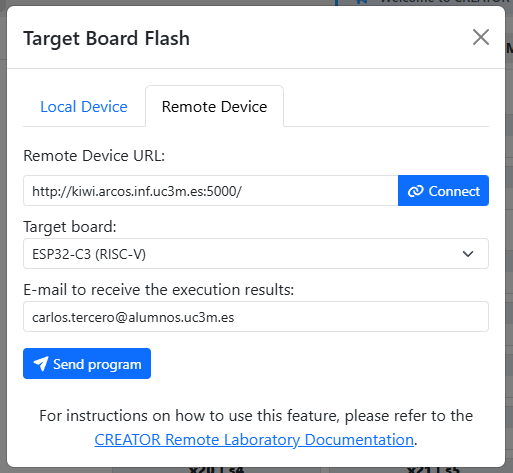
Remote Device Target Flash menu.
- Connect to the Remote Device URL where the server is deployed, e.g.
http://remote.arcos.inf.uc3m.es:5000. - Select one of the available board types that the server supports
- Enter your e-mail address to receive the execution results
- Execute your program by using the Send program button.
The status of your program will be displayed. You can cancel the execution by using the Cancel last program button.
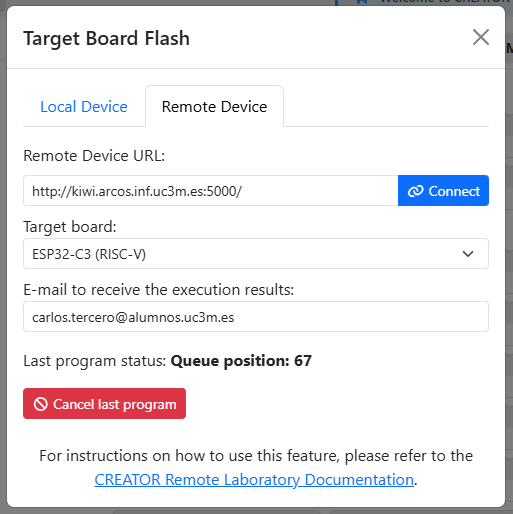
Program status while queued on the remote device.